Stay in touch with every landscape you install.
Set it up once. Watering tips, seasonal cleanups and plant checks go out automatically by text and email under your company name. Customers book service in one tap.
The first year after an install
One tile per week, starting the day the landscape goes in. Pick a lit tile to see the message your customer gets.
And every year after. Spring cleanup, the summer plant check, fall cleanup and the anniversary visit repeat each year, for as long as they're your customer. Nothing to renew or set up again.
Set it up once. It runs itself.
Add the customer when the install is done
Their reminders are scheduled right away and keep going every year.
Reminders go out automatically
On their dates, every year, by text, email or both, under your business name. Nothing for you to remember or send. Change the wording and timing of any message.
They tap to request service
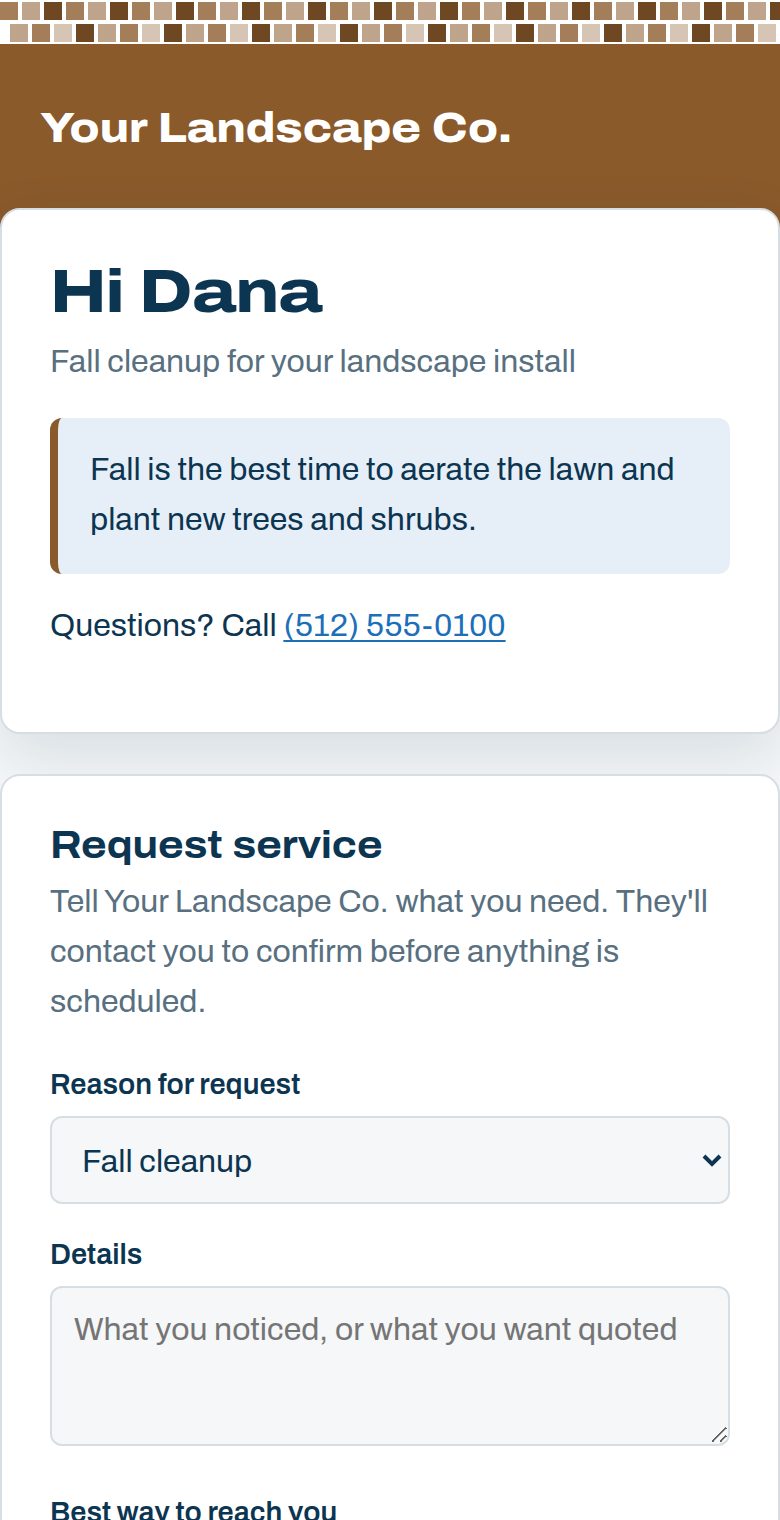
They pick a reason, like a repair or a quote, add details and the days that work. You get an email with their request, and it lands in your bookings.
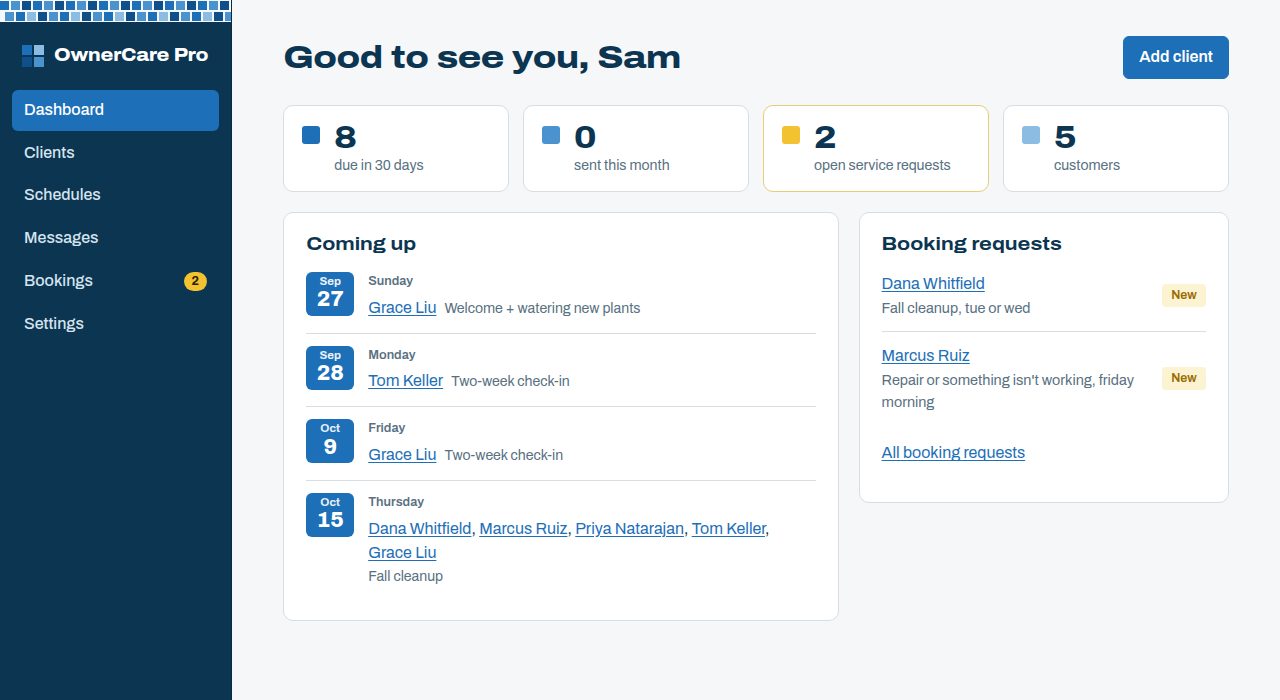
See what goes out next, and who asked for service
Your dashboard lists this month's reminders and every new service request. You get an email the moment a request comes in, so nothing sits waiting.
- Try it with 5 sample customers before adding your own
- Add a customer from your phone in under a minute
- Send yourself a test text and email any time
Careful with your customers
Your name is on every message, so OwnerCare Pro treats your customers the way you would.
Never sold or shared
Phone numbers and emails are used only for your reminders, never sold or shared for marketing. See the privacy policy.
Opt-outs handled for you
A STOP reply or an email unsubscribe takes effect right away, and each customer's page shows what they still receive.
Consent on record
You confirm permission before adding a mobile number, and the date and who confirmed it are saved with the customer.
Backed up every day
Your customer list and history are copied to separate, encrypted storage every day.
Pricing
Sign up now. No billing until 2027. Use every feature free until then, and we'll email you at least 30 days before billing starts.
Basic
$49/month
Up to 10 customers
Advanced
$99/month
Up to 50 customers
Pro
$199/month
Unlimited customers
Every plan includes
- Text and email reminders under your business name
- Editable schedules for landscape installs and new lawns
- One-tap service requests with email alerts
- Opt-out handling and consent records
- Spreadsheet import, if you want to add past customers
A customer is a homeowner you add. Sample customers don't count.
Create your accountQuestions landscapers ask
- Will my customers see OwnerCare Pro?
- Messages come from your business name. The page they open shows your logo and brand color, with a small “Care reminders by OwnerCare Pro” line at the bottom.
- What if a customer doesn't want texts?
- Replying STOP turns texts off right away, and every email has an unsubscribe link. Each customer's page shows which messages they still receive.
- Can I change the schedule?
- Yes. Edit any step's name, timing, wording, or whether it goes by text, email or both. Upcoming reminders update when you save, and sent history stays as it was.
- My customers are already on a maintenance plan. Is this for them?
- It's most useful for install customers who aren't on a plan yet. Each reminder is a chance for them to book a cleanup, a plant check or a maintenance plan with you. Turn off any reminder you already cover.
- We also install irrigation. Can I use both?
- Yes. Check each trade you install when you sign up, or later in Settings. Each gets its own schedule, and one plan covers them all. See OwnerCare Pro for irrigation.
- How do I get help?
- Email [email protected]. Every message is read by a person, not a bot.
Put your first customer on a schedule
Sign up now. No billing until 2027. Questions first? Email [email protected].